By the end of this guide, you'll have an AI Phone Agent ready to receive or make phone calls to your users.
- Set up the Twilio Integration with AppointAI
- Head over to the AI Agents -> Assistant, and click on "Add an Assistant"
- Select Phone as the Assistant Type

- Provide a name and description for your Assistant
- Phone Assistants use GPT-3.5 as the LLM model since it is optimized for low latency.
- The Prompt is the most important piece that drives the conversation in near real-time. It acts as the source of information for the Agent as well as follows the instructions given to drive the call
You can use some of the pre-defined Prompt Templates to design your Prompt that fulfills your objective. - Next, select the speech recognition language and the voice to be used for Agent. You can also preview the premium voices by clicking the Preview button.
- Click on Submit to create your Assistant.
- Head over to the Widgets screen and click Add a Widget
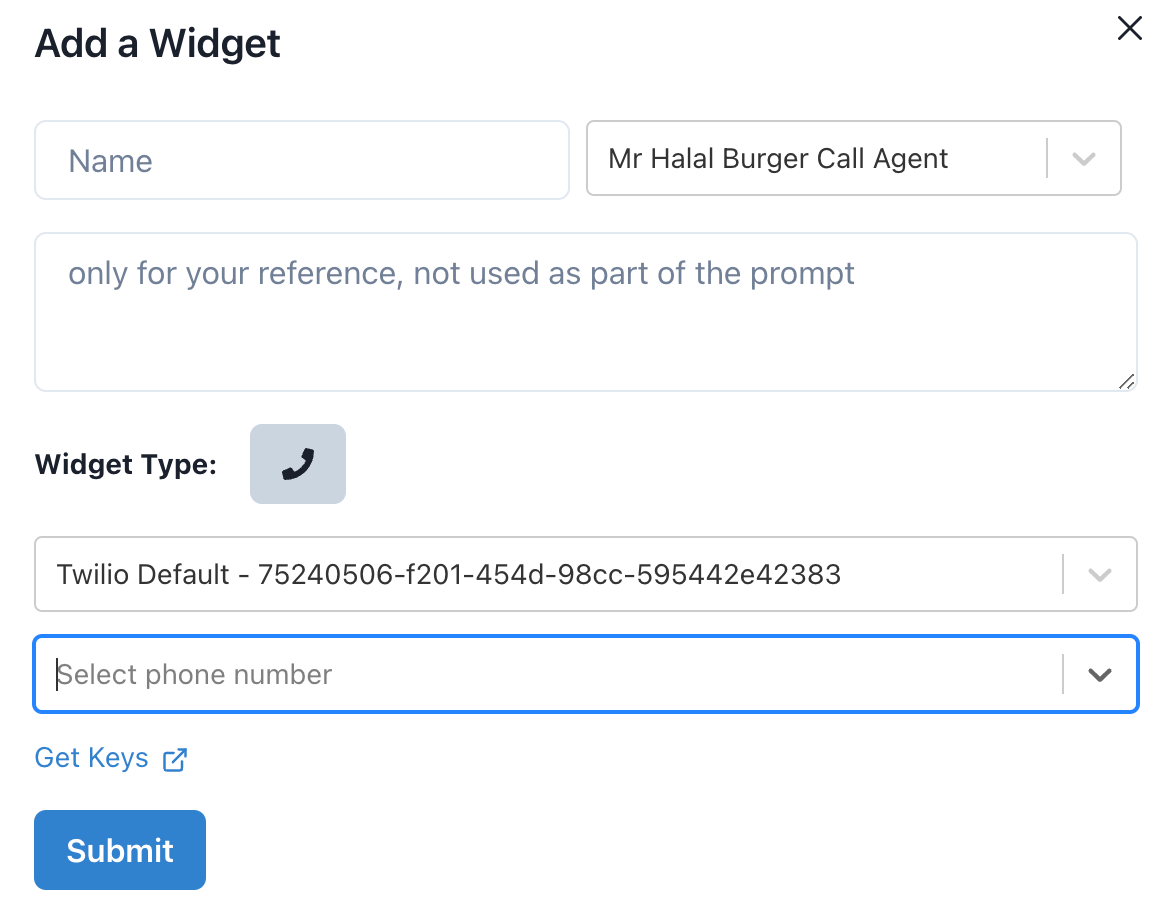
- Provide a Name and description to your Widget and select the Assistant you created in the previous steps.
- When you select a Phone Assistant, the Widget Type shown would be just Phone.
- Select the Twilio account that you want to use and one of the phone numbers.
- Once you click on Submit, AppointAI will configure Twilio to start receiving calls from the selected phone number.
- Go and call the number to test it out!